
The best email marketing software for small business in 2026 is the platform your team can use consistently, not the one with the longest feature list. This guide compares seven options by use case, from a first newsletter to an online store or a sales funnel with multiple follow-ups.
- Mailchimp is the best email marketing software for small business teams launching their first structured campaigns in 2026.
- Klaviyo is the best fit for online stores that need email tied to shopping behavior.
- MailerLite suits solo operators who want straightforward campaigns and automation.
- ActiveCampaign fits businesses building detailed lead-nurture sequences; HubSpot Marketing Hub fits teams that need email connected to a CRM.
Why this matters
Your website can attract visitors, and your social posts can start conversations. Email gives you a way to follow up with people who have chosen to hear from you. Pick software your team avoids using, and that follow-up never becomes a consistent part of your sales process.
HiveHub Creative is a digital marketing and web design agency, not an email software vendor. Its SEO, social media, and web development services address how small and medium-sized businesses attract visitors and turn interest into leads. Your email platform handles another part of that journey: staying in touch after someone subscribes.
Best overall: Mailchimp. Best for online stores: Klaviyo. Best budget-conscious choice: MailerLite. Constant Contact fits event-focused businesses; Brevo suits teams that want email and SMS together; ActiveCampaign fits detailed automation; and HubSpot Marketing Hub fits teams connecting marketing to a CRM.
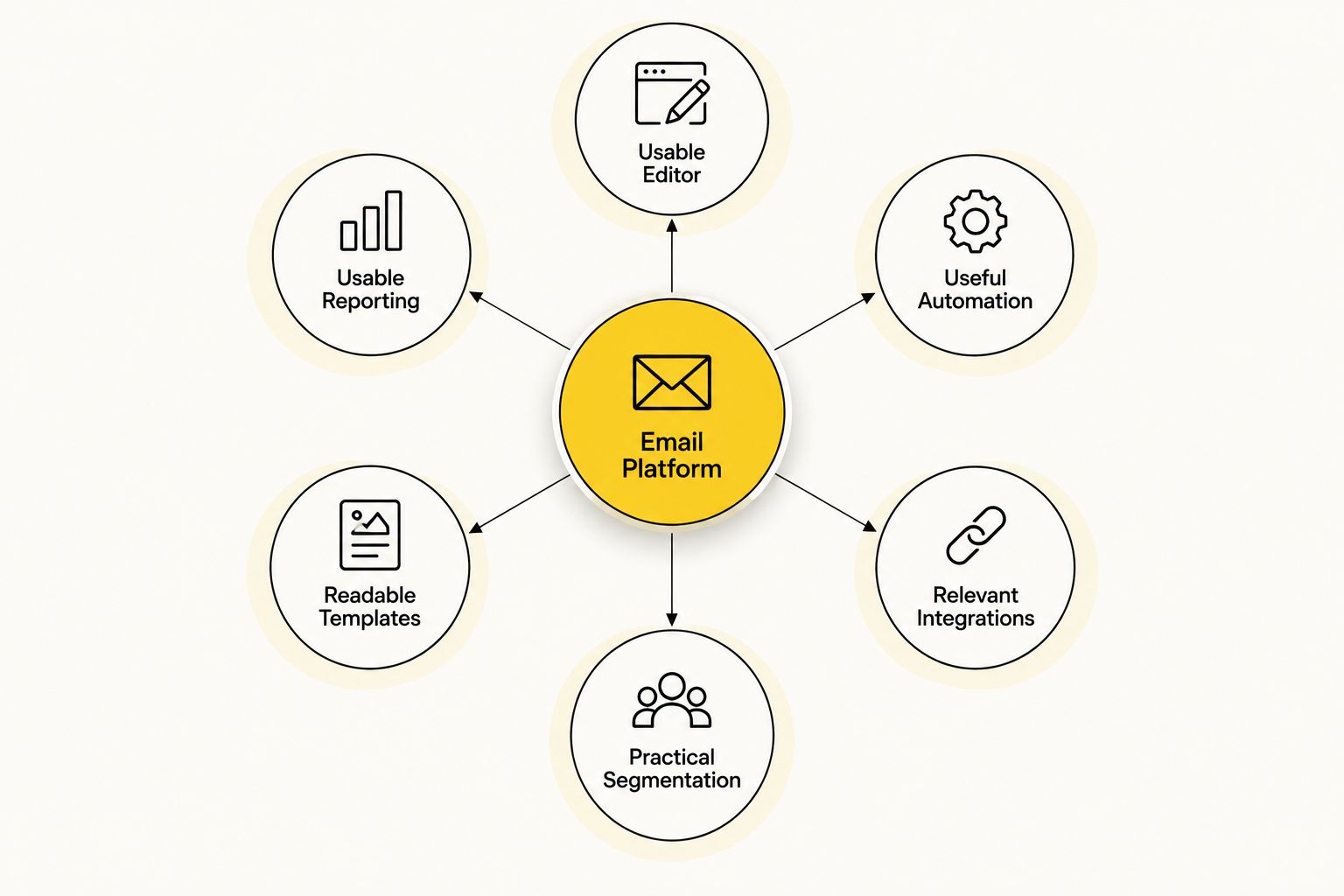
What makes the best email marketing software for small business
- A usable editor. Your team should be able to draft, check, and schedule an email without waiting for a specialist.
- Useful automation. A welcome sequence should respond when someone joins your list. More complex funnels need conditions that change what happens next.
- Relevant integrations. Check the connection to the website, store, or CRM you already use. A feature list means little if customer information stays in separate systems.
- Practical segmentation. You need to separate contacts by information that affects your message, such as expressed interest or purchase activity.
- Readable templates. Review every campaign on a phone as well as a desktop before sending it.
- Reporting you will use. Focus on whether campaigns lead to visits, inquiries, and sales, not just whether a dashboard has more charts.
Those criteria matter in different proportions. An online store needs customer-behavior data that a local service business might never use. A service business with a long sales process needs follow-up logic that a shop sending occasional announcements might find excessive. Decide which problem you need to solve before you compare editors.
Email marketing software at a glance
| Platform | Best for | Standout capability | Key limitation |
|---|---|---|---|
| Mailchimp | First structured campaigns | Campaign builder and broad integrations | Complex automation takes more setup |
| Constant Contact | Local events and announcements | Event-focused email tools | Less suited to intricate sales funnels |
| Brevo | Email and SMS in one place | Both channels in one platform | Check reporting against your specific needs |
| ActiveCampaign | Detailed lead nurture | Conditional automation | More to learn before launch |
| Klaviyo | Online stores | Store-data-driven email flows | Poor fit without an online store |
| MailerLite | Solo operators | Straightforward editor and automation | Less suited to complex CRM processes |
| HubSpot Marketing Hub | CRM-connected marketing | Email connected to contact records | More platform than a simple newsletter requires |
1. Mailchimp: best overall for first structured campaigns
Mailchimp brings campaign creation, contact management, and automation into one place. It is a sensible first choice when your team needs to move beyond occasional manual emails but does not yet need a detailed CRM process. Start with a welcome email and one recurring campaign; add segmentation once you know what subscribers respond to.
Mailchimp pros:
- Provides a visual campaign editor for teams without design support.
- Connects with a range of website and business tools.
- Supports a move from basic sends to automated follow-up.
Mailchimp cons:
- Detailed, branching journeys take more planning than a simple newsletter.
- Its range of features can distract a team that has not settled on a sending routine.
Best for: small businesses starting a repeatable email program. Verdict: Buy if your immediate job is to create and send campaigns consistently.
2. Constant Contact: best for local events and announcements
Constant Contact is a fit when your calendar drives your emails. A local business announcing workshops, events, or seasonal activities needs a clear way to send updates and manage responses. It does not need to build an intricate sales funnel before it can send a useful invitation.
Constant Contact pros:
- Offers tools suited to event-related communication.
- Keeps straightforward announcements central to the workflow.
- Fits teams that prioritize sending over building complex automations.
Constant Contact cons:
- It is less compelling when conditional lead nurturing is the main requirement.
- Teams focused on store behavior should compare e-commerce-focused options instead.
Best for: local businesses whose email calendar revolves around events and announcements. Verdict: Buy when that is the work you need the software to do.
3. Brevo: best for combining email and SMS
Brevo puts email and SMS in one platform. That makes it relevant when you already plan to use both channels and want to manage customer communication without switching between separate sending tools. Decide which messages belong in each channel before you build an automation; sending the same message everywhere is not a strategy.
Brevo pros:
- Supports email and SMS from one platform.
- Gives teams a way to coordinate messages across those channels.
- Includes automation for common follow-up workflows.
Brevo cons:
- A business that only sends email will not need its SMS capability.
- You should confirm that its reports show the outcomes your team tracks.
Best for: businesses with a defined use for both email and text messages. Verdict: Buy if you will use both channels, not just because both appear on the feature list.
4. ActiveCampaign: best for detailed lead nurture
ActiveCampaign fits a sales process where different leads need different follow-ups. Its automation builder can direct contacts through sequences based on conditions and behavior. That depth matters when an inquiry, a consultation request, and a returning prospect should not all receive the same email.
ActiveCampaign pros:
- Supports conditional, multi-step automation.
- Lets teams build follow-up paths around different contact actions.
- Suits businesses with a defined lead-nurture process.
ActiveCampaign cons:
- It takes more planning to configure well than a basic campaign tool.
- A team sending only occasional announcements will leave much of it unused.
Best for: businesses ready to map and maintain distinct follow-up sequences. Verdict: Buy when your funnel needs that detail; otherwise, hold until your process does.
5. Klaviyo: best for online stores
Klaviyo focuses on marketing connected to store activity. An online retailer can use shopping and order information to shape follow-up emails rather than sending every subscriber the same announcement. That makes Klaviyo a stronger fit for a store than for a service business collecting consultation requests.
Klaviyo pros:
- Connects email planning to customer and store activity.
- Supports flows for stages of the shopping journey.
- Makes purchase-related segmentation central to the workflow.
Klaviyo cons:
- Its store-focused approach adds little value if you do not sell online.
- Useful flows still need clear messaging and regular review.
Best for: online stores that want follow-up based on shopping behavior. Verdict: Buy for that use case; skip it if your business has no store data to use.
6. MailerLite: best for a lean email workflow
MailerLite is the pick for a solo operator who wants to create campaigns and basic automations without adopting a broader marketing system. Build a short welcome sequence, keep your list organized, and establish a sending routine before adding complexity. Simple is a strength when it helps you publish.
MailerLite pros:
- Keeps campaign creation straightforward.
- Supports automation without making it the entire focus of the tool.
- Fits teams that do not need a connected sales CRM.
MailerLite cons:
- It is not the natural choice for a complicated sales process.
- Store-focused businesses should compare its customer-data options with Klaviyo.
Best for: solo operators and lean teams who need a manageable email routine. Verdict: Buy when ease of use matters more than advanced funnel design.
7. HubSpot Marketing Hub: best for CRM-connected marketing
HubSpot Marketing Hub makes sense when marketing emails need to connect with contact records and the sales process. A team can plan follow-up around information held in its CRM rather than treating the email list as a separate file. That connection is useful only if the team will keep those records current.
HubSpot Marketing Hub pros:
- Connects marketing activity to CRM contact records.
- Fits teams that want sales and marketing to work from shared information.
- Supports a more structured process as the business grows.
HubSpot Marketing Hub cons:
- A simple newsletter does not require its wider CRM setup.
- Adoption depends on the team maintaining its contact data and processes.
Best for: businesses already organizing sales work around a CRM. Verdict: Hold if you only need to send campaigns; buy when connected contact records become a requirement.
How this list was ranked
The order favors a useful starting point for a small business, then gives each remaining platform a distinct job. Mailchimp leads as the general choice; the others rise to the top when your business has a more specific need. No platform wins every category, and a feature that matters to one business can become unnecessary work for another.
Before you commit, write down the first campaign your team will send and the first follow-up you want to automate. Then check whether the platform connects to the systems involved. If you cannot describe those tasks clearly, choosing more features will not fix the gap in your marketing plan.
Which email marketing software should you choose in 2026?
Choose Mailchimp if you need a general starting point. Choose Klaviyo if store activity should determine what customers receive. Choose MailerLite if a straightforward workflow will keep your small team sending. ActiveCampaign makes sense once you need distinct lead paths; HubSpot Marketing Hub makes sense once email needs to connect to your CRM.
For a service business, the next step is not another platform comparison. Define how a visitor becomes a lead, what happens after an inquiry, and which messages help that person decide. HiveHub Creative's web design, SEO, and social media work addresses the channels that bring people into that journey; your email choice should fit the follow-up you can maintain.
FAQ
What’s the best email marketing software for small business in 2026?
Mailchimp is the best general starting point for a small business building a repeatable email program in 2026. Choose a more specialized platform when you need store-driven messages, detailed automation, or CRM-connected campaigns.
Is Mailchimp or Klaviyo better for an online store?
Klaviyo is the better fit when shopping behavior needs to drive your emails. Mailchimp remains a practical general-purpose choice if your campaigns do not depend heavily on store activity.
Which email marketing software suits a solo business owner?
MailerLite suits a solo business owner who needs a straightforward way to send campaigns and set up basic follow-up. ActiveCampaign is a better match when conditional sales sequences become central to the job.
Should a small business use email and SMS together?
Use both when each channel has a clear purpose and your customers have agreed to receive those messages. Brevo is an option for managing email and SMS in one platform.
Do I need email marketing software if I already use social media?
Yes, if you want a repeatable way to contact people who subscribe to your emails. Social media helps you reach and engage an audience; email supports direct follow-up with subscribers.
When should I choose HubSpot Marketing Hub?
Choose HubSpot Marketing Hub when email activity needs to connect to contact records and a structured sales process. A team sending a simple newsletter does not need to adopt a CRM platform just to do that.
What should I check before switching email platforms?
Check how you will move contacts, preserve consent records, rebuild automations, and connect the new platform to your website or store. Send a test campaign before retiring the old setup.
One last thing
An unused automation is not a sales funnel. In 2026, start by mapping the message someone receives after they subscribe or inquire, then choose the tool that lets your team send it reliably. If your site is not bringing in the right visitors or turning them into leads, address that part of the journey too. HiveHub Creative helps small and medium-sized businesses work on traffic, leads, and sales through digital marketing and web design.
Related guides
- Best social media scheduling tools for small business
- Best SEO tools for small business
- Best local SEO tools for small business
- How much SEO costs for small businesses