Picking the right website builder in 2026 decides whether your small business site gets built this weekend or gets stuck in your to-do list for another quarter. Best overall: Wix. Best for online stores: Shopify. Best budget option: GoDaddy Websites + Marketing. Best for full design control: Squarespace. Best for total customization: WordPress.org. Best for businesses that want SEO built in from day one: a custom-built site from a web design agency.
- Wix wins overall for small business owners who want a fast, no-code build in 2026.
- Shopify is the strongest pick for anyone selling products online, not just showing a brochure site.
- Squarespace leads on design polish for service brands and portfolios.
- WordPress.org gives the most control but needs the most hands-on management.
- A custom-built site from a web design agency wins when SEO and lead generation matter more than DIY speed.
Why this matters
Most small business owners don't need a website. They need a website that brings in leads. That's the gap DIY builders don't fix on their own — they get you online, but they don't guarantee anyone finds you once you're there.
The six options below cover the full spectrum, from drag-and-drop builders you can launch tonight to a fully custom build handled by a team like HiveHub Creative that bakes SEO into the site structure instead of bolting it on after launch. Which one is right depends on how much time you have, how much control you want, and whether search traffic actually matters to your business in 2026.
What makes the best website builder for small business
- Ease of use — can a non-technical owner build and update the site without hiring help
- Design flexibility — enough templates and layout control to look distinct, not templated
- Ecommerce readiness — built-in cart, payments and inventory tools if you sell products
- SEO controls — the ability to edit titles, meta descriptions, URL structure and page speed
- Scalability — room to add pages, staff logins and integrations as the business grows
- Support and reliability — uptime, customer support quality, and how hard migration is later
At a glance: website builders for small business in 2026
| Builder | Best For | Standout Feature | Key Limitation |
|---|---|---|---|
| Wix | Fast, no-code launch | Drag-and-drop editor with AI layout suggestions | Switching templates later means rebuilding sections |
| Shopify | Online stores | Native checkout, inventory and payment tools | Overkill if you're not selling products |
| Squarespace | Design-forward brand pages | Polished templates for portfolios and service brands | Less flexible for complex functionality |
| WordPress.org | Total control | Unlimited plugins, themes and code-level access | Requires hosting setup and ongoing maintenance |
| GoDaddy Websites + Marketing | Absolute budget and speed | Guided setup gets a basic site live fast | Thin customization once you outgrow templates |
| Custom build (e.g. HiveHub Creative) | SEO-driven lead generation | Site architecture built around search intent and conversion | Slower launch than a DIY builder |
1. Wix: best website builder for a fast, no-code launch
Wix is a drag-and-drop builder that lets you assemble a working site without touching code. It handles hosting, templates and basic SEO fields in one dashboard, which is why it's the default recommendation for owners building their first site in 2026.
Wix pros:
- Visual editor with real-time preview, no coding required
- Large template library across most small business categories
- Built-in app marketplace for booking, forms and chat widgets
Wix cros — cons:
- Switching templates after launch often means rebuilding page layouts
- Site speed can lag on image-heavy pages without manual optimization
- Limited flexibility once your needs outgrow the template structure
Best for: owners who want a working site up this week without hiring anyone. Verdict: Buy.
2. Shopify: best website builder for online stores
Shopify is built around selling, not just publishing pages. Checkout, inventory tracking and payment processing are native to the platform instead of add-ons, which matters the moment you have more than a handful of SKUs.
Shopify pros:
- Native cart, checkout and payment gateway integrations
- Inventory and order management built into the core dashboard
- Large app ecosystem for shipping, reviews and email marketing
Shopify cons:
- Non-ecommerce pages (blog, about, contact) feel secondary to the store
- App costs add up fast once you need more than basic features
- Design customization outside templates needs some Liquid code knowledge
Best for: any small business whose site's main job is taking payments. Verdict: Buy.
3. Squarespace: best website builder for design-forward brands
Squarespace's templates are built by designers first, which shows in typography, spacing and image handling. Service businesses, studios and portfolio-driven brands consistently land on Squarespace because the default output looks intentional, not generic.
Squarespace pros:
- Templates look polished with minimal editing effort
- Strong built-in blogging and portfolio tools
- Clean mobile rendering across templates
Squarespace cons:
- Less third-party app flexibility than Wix or WordPress
- Advanced ecommerce features lag behind dedicated platforms like Shopify
- Template switching mid-project can be disruptive
Best for: service brands and creatives where visual presentation drives trust. Verdict: Buy.
4. WordPress.org: best website builder for total customization
WordPress.org is self-hosted software, not a hosted builder, so you control the code, the hosting environment and every plugin running on the site. That control is exactly why agencies use it for complex, SEO-heavy builds — and exactly why it demands more upkeep than a hosted platform.
WordPress.org pros:
- Thousands of themes and plugins for nearly any feature
- Full control over site structure, code and SEO implementation
- No platform lock-in — you own the hosting and the files
WordPress.org cons:
- Requires separate hosting, backups and security management
- Plugin conflicts and update issues need ongoing attention
- Steeper learning curve for non-technical owners
Best for: businesses with in-house or agency support who want zero platform limits. Verdict: Hold — only if you have help maintaining it.
5. GoDaddy Websites + Marketing: best website builder for absolute budget and speed
GoDaddy's builder walks you through a guided setup and spits out a live site fast, often in a single sitting. It's the shortest path from zero to online, which makes it a reasonable stopgap for a business that needs a placeholder presence right now.
GoDaddy pros:
- Guided setup gets a basic site published quickly
- Domain, hosting and site builder bundled in one account
- Simple dashboard with minimal decisions required
GoDaddy cons:
- Template customization is thin compared to Wix or Squarespace
- Design options feel generic once you look closely
- Growth beyond a basic brochure site usually means starting over elsewhere
Best for: a business that needs something online today and will revisit the site later. Verdict: Wait — fine short-term, plan to outgrow it.
6. Custom web design from an agency: best website builder alternative for SEO-driven growth
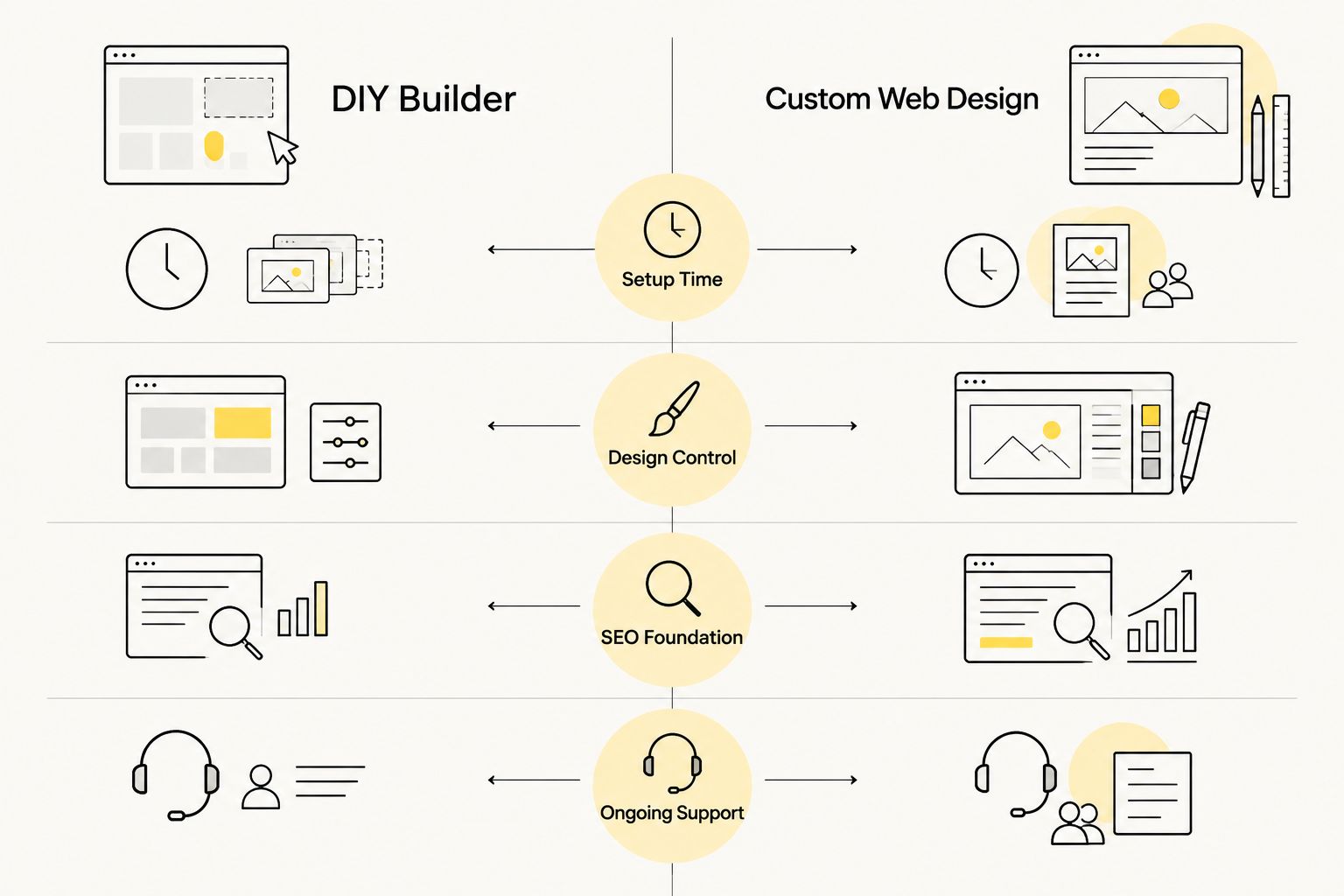
DIY builders get you a site. They don't automatically get you found. A custom build from a web design and SEO team like HiveHub Creative starts with keyword and page-structure strategy, then builds the site around it — so search visibility isn't an afterthought bolted onto a template.
This path costs more setup time than any of the five builders above. It's also the only option on this list where the site's architecture is planned around lead generation from the first wireframe, which matters if your traffic is supposed to turn into calls, quotes or bookings.
Custom build pros:
- Site structure and URLs planned around search intent, not template defaults
- SEO, content and design decisions handled by one team instead of stitched together
- Ongoing support for updates, technical SEO and conversion tweaks
Custom build cons:
- Slower to launch than a same-day DIY builder
- Not a fit if you just need a simple placeholder page
- Requires more upfront input from you on goals and audience
Best for: small businesses where the website is expected to generate leads, not just exist. Verdict: Buy — if lead generation is the actual goal.
How we ranked these website builders
Each builder was measured against the six criteria above: ease of use, design flexibility, ecommerce readiness, SEO controls, scalability and support quality. Wix and Squarespace scored highest on ease of use; Shopify dominates ecommerce readiness; WordPress.org and a custom agency build lead on scalability and SEO control. GoDaddy wins on raw setup speed but trails everywhere else.
Which website builder should you choose in 2026?
If you need a site live this week and don't sell products, start with Wix. If products are the whole business, Shopify is the clear pick. If your brand lives or dies on visual polish, Squarespace earns its spot. If you have technical support and want zero platform ceiling, WordPress.org is worth the extra setup work.
If the site's actual job is generating leads — not just existing — a custom build planned around SEO outperforms every DIY option on this list over time, because the structure is built for search from day one instead of retrofitted later.
Want a site built for leads, not just looks?
See how HiveHub Creative approaches SEO-first web design.
Before committing to a builder, check what it takes to actually rank once the site is live — the best SEO tools for small business roundup covers the tools that matter once your pages are published, and what SEO costs for small businesses breaks down what to budget once you move past the DIY build phase.
FAQ
What is the best website builder for small business in 2026?
Wix is the best overall pick for most small businesses in 2026 because it balances ease of use with enough design flexibility for a professional-looking site. Shopify wins instead if the site’s main job is selling products.
Is Squarespace better than Wix for small business?
Squarespace produces more polished default designs, which suits service brands and portfolios. Wix is more flexible and easier to customize as your needs change, so the better choice depends on whether design polish or flexibility matters more.
Do website builders help with SEO?
Most builders let you edit page titles, meta descriptions and basic on-page SEO fields, but none of them guarantee rankings. A site’s SEO performance depends more on structure, content and page speed than on which builder you use.
Should a small business use WordPress or a website builder?
WordPress.org gives more control and no platform lock-in, but it requires separate hosting and ongoing maintenance. A hosted builder like Wix or Squarespace is faster to launch and easier for a non-technical owner to manage day to day.
Is it worth hiring an agency instead of using a website builder?
It’s worth it when the website is expected to generate leads, not just exist online. A custom build planned around SEO and conversion typically outperforms a DIY builder once organic traffic and lead volume matter.
Which website builder is best for an online store?
Shopify is the strongest choice for a small business selling products, because checkout, inventory and payments are built into the platform instead of added on through third-party tools.
Can I switch website builders later without starting over?
Switching platforms almost always means rebuilding the site rather than migrating it directly, since templates, page structures and SEO settings don’t transfer cleanly between builders. Picking the right platform upfront saves a rebuild later.
How long does it take to launch a website builder site?
A basic site on Wix, Squarespace or GoDaddy can go live in a single day using guided templates. A custom-built site takes longer because it starts with SEO and content strategy before design work begins.
One last thing
The builder you pick in 2026 matters less than what happens after launch. A gorgeous Squarespace site with no SEO plan gets the same traffic as a blank page — almost none. Before you build anything, decide whether the site needs to attract search traffic or just needs to exist, because that answer changes which option on this list actually fits.
Related guides